mirror of
https://github.com/dlt-hub/dlt.git
synced 2025-12-17 19:31:30 +00:00
 266052eb76
* Initial commit

* lesson_1_quick_start adjusted for marimo

* lesson_2_dlt_sources_and_resources_create_first_dlt_pipeline marimo

* Fundamentals course 3 improved

* Marimo badges added

* Fundamenta: course 8

* Marimo badge link fix

* Fundamentals: course 7

* Fundamentals: course 6

* Fundamentals: course 5

* Fundamentals: cousre 4

* Fundamentals: course 3

* Fundamentals: course 2

* Fundmantals: course 1

* marimo links corrected

* Inline deps

* Fundamentals: fix lesson 2

* Fundamentals: fix lesson 3

* Fundamentals: fix lesson 4

* Formatting moved to build-molabs

* Fundamentals: fix lesson 5

* Removal of scrolls

* Fundamentals: fix lesson 6

* Fundamentals: fix lesson 7

* Fundamentals: fix lesson 8

* os.environ replaced with dlt.secrets where relevant

* Advanced: fix lesson 5

* Advanced fix lesson 9

* os.environ fixes

* Advanced: fix lesson 1

* Comments cleanup

* Additional comment removal, fix lesson 6 advanced

* Clean main makefile

* Get rid of constants.py

* Nicer json.loads()

* Better functions in preprocess_to_molab

* Tests for doc tooling funcs

* Validate molab command

* Marimo check added

* docs pages adjustment

* limits sqlglot in dev group until fixed

---------

Co-authored-by: Marcin Rudolf <rudolfix@rudolfix.org>
1971 lines
56 KiB
Python
1971 lines
56 KiB
Python
# /// script
|
||
# dependencies = [
|
||
# "dlt",
|
||
# "dlt[duckdb]",
|
||
# "numpy",
|
||
# "pandas",
|
||
# "sqlalchemy",
|
||
# ]
|
||
# ///
|
||
|
||
import marimo
|
||
|
||
__generated_with = "0.17.4"
|
||
app = marimo.App()
|
||
|
||
|
||
@app.cell(hide_code=True)
|
||
def _(mo):
|
||
mo.md(
|
||
r"""# **Performance Optimization in dlt pipelines** [](https://molab.marimo.io/github/dlt-hub/dlt/blob/master/docs/education/dlt-advanced-course/lesson_9_performance_optimisation.py) [](https://colab.research.google.com/github/dlt-hub/dlt/blob/master/docs/education/dlt-advanced-course/lesson_9_performance_optimisation.ipynb) [](https://github.com/dlt-hub/dlt/blob/master/docs/education/dlt-advanced-course/lesson_9_performance_optimisation.ipynb)"""
|
||
)
|
||
return
|
||
|
||
|
||
@app.cell(hide_code=True)
|
||
def _(mo):
|
||
mo.md(r"""
|
||
### **Introduction**
|
||
|
||
Sometimes you have to slow down in order to speed up...
|
||
|
||
This lesson teaches you how to make dlt pipelines faster by optimizing each internal stage of execution. You’ll learn how to tune memory, enable parallelism, and reduce runtime using real examples.
|
||
|
||
We will walk through the internal steps of `pipeline.run()` again, but this time focusing only on performance optimization techniques.
|
||
|
||
Read more in the [dlt performance docs](https://dlthub.com/docs/general-usage/performance).
|
||
""")
|
||
return
|
||
|
||
|
||
@app.cell(hide_code=True)
|
||
def _(mo):
|
||
mo.md(
|
||
r""""""
|
||
)
|
||
return
|
||
|
||
|
||
@app.cell(hide_code=True)
|
||
def _(mo):
|
||
mo.md(r"""
|
||
### **Already covered in Fundamentals**
|
||
|
||
- Basic structure of `pipeline.run()`.
|
||
|
||
- Default behavior of **extract/normalize/load**.
|
||
|
||
- Example with nested rows and `items__nested` tables.
|
||
|
||
- Overview of file formats (jsonl, parquet, etc.).
|
||
|
||
- Progress logging and pipeline introspection.
|
||
""")
|
||
return
|
||
|
||
|
||
@app.cell(hide_code=True)
|
||
def _(mo):
|
||
mo.md(r"""
|
||
### **In the Advanced Performance Optimization lesson**
|
||
|
||
- Optimize memory with buffer tuning.
|
||
|
||
- Yield pages instead of rows.
|
||
|
||
- Control threading and multiprocessing.
|
||
|
||
- Tune file rotation for parallelism.
|
||
|
||
- Run multiple pipelines in one process.
|
||
|
||
- Spawn method on Linux.
|
||
|
||
- Real GitHub pipeline performance demo.
|
||
""")
|
||
return
|
||
|
||
|
||
@app.cell(hide_code=True)
|
||
def _(mo):
|
||
mo.md(r"""
|
||
---
|
||
|
||
## Understanding `pipeline.run()` for Performance
|
||
|
||
When you call `pipeline.run()`, dlt goes through three stages:
|
||
|
||
1. **Extract** – fetch data and write intermediary files.
|
||
2. **Normalize** – transform and flatten the data.
|
||
3. **Load** – load data into the destination.
|
||
|
||
We'll now look at how to optimize each of these stages individually.
|
||
|
||
> If you're unfamiliar with how `pipeline.run()` works under the hood, including the **extract/normalize/load** stages and intermediary files, please complete the [Fundamentals module "How dlt works"](https://github.com/dlt-hub/dlt/blob/master/docs/education/dlt-fundamentals-course/lesson_6_how_dlt_works.ipynb) first.
|
||
""")
|
||
return
|
||
|
||
|
||
@app.cell(hide_code=True)
|
||
def _(mo):
|
||
mo.md(
|
||
r"""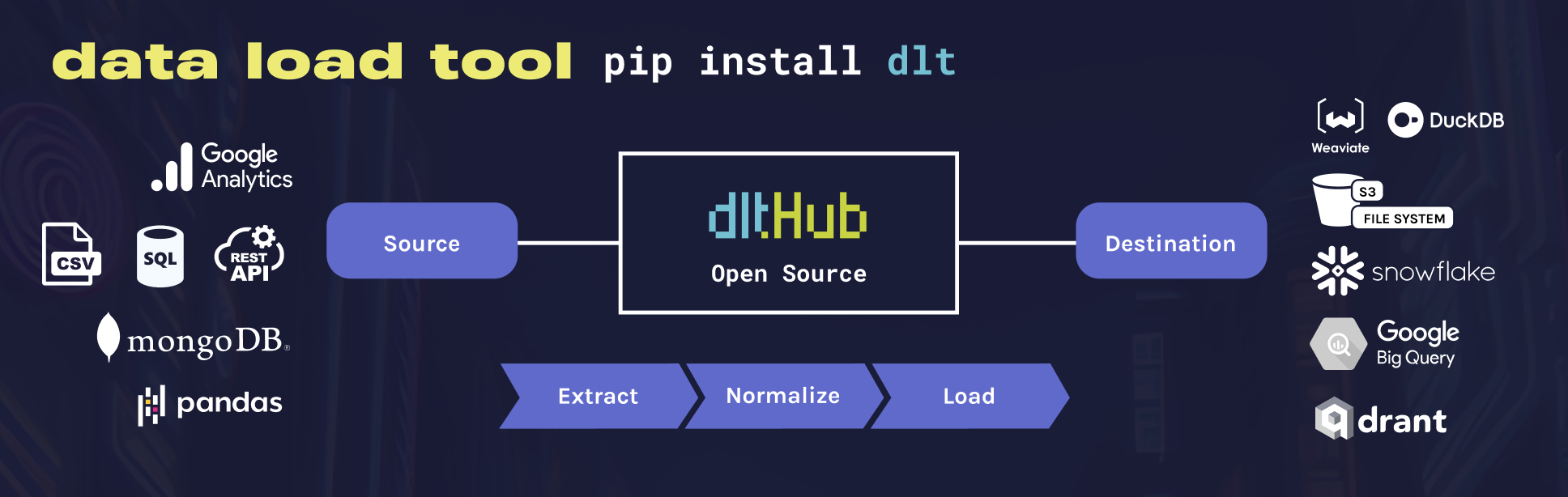"""
|
||
)
|
||
return
|
||
|
||
|
||
@app.cell(hide_code=True)
|
||
def _(mo):
|
||
mo.md(r"""
|
||
## **Before we dive into parallelism in dlt...**
|
||
|
||
To get the most out of parallelism features in `dlt`, it's helpful to quickly refresh how parallelism works in Python in general.
|
||
|
||
Python isn't truly multithreaded by default due to the Global Interpreter Lock (GIL), but there are multiple ways to run tasks concurrently: using **threads**, **processes**, or **async**.
|
||
|
||
Each has its own strengths, and `dlt` actually uses all of them depending on the stage: threads for extracting and loading, and processes for normalization.
|
||
|
||
Let’s take a quick look at how these work under the hood.
|
||
""")
|
||
return
|
||
|
||
|
||
@app.cell(hide_code=True)
|
||
def _(mo):
|
||
mo.md(r"""
|
||
# **Parallelism in Python**
|
||
|
||
|
||
Python is single-threaded by default. That means only one operation happens at a time, even on multi-core CPUs. This becomes a bottleneck for:
|
||
|
||
- API calls
|
||
- file I/O
|
||
- database queries
|
||
- and anything that waits instead of computes
|
||
|
||
Parallelism solves this by doing *many things at once*. It’s essential when building efficient data pipelines, like those with `dlt`.
|
||
|
||
|
||
## **Types of parallelism in Python**
|
||
|
||
There are 3 main types. Each has different use cases.
|
||
""")
|
||
return
|
||
|
||
|
||
@app.cell(hide_code=True)
|
||
def _(mo):
|
||
mo.md(
|
||
r""""""
|
||
)
|
||
return
|
||
|
||
|
||
@app.cell(hide_code=True)
|
||
def _(mo):
|
||
mo.md(r"""
|
||
### 1. **Threading**
|
||
- Best for I/O-bound tasks (e.g., reading from APIs or files).
|
||
- Uses the `threading` or [`concurrent.futures.ThreadPoolExecutor`](https://docs.python.org/3/library/concurrent.futures.html#concurrent.futures.ThreadPoolExecutor).
|
||
|
||
|
||
|
||
### **Why Python has multithreading — but only one thread runs Python code at a time**
|
||
|
||
- Python does support multithreading, and you can create multiple threads with `threading.Thread()`.
|
||
|
||
- But in CPython, the standard Python implementation, there’s something called the **Global Interpreter Lock (GIL)**.
|
||
|
||
- The GIL makes sure that only **one thread** can execute Python bytecode at a time — even on multi-core CPUs.
|
||
|
||
- So if you create 5 threads, Python will **run them one by one**, rapidly switching between them — not in true parallel.
|
||
|
||
- It still counts as “multithreading” because threads **exist and run**, but they’re **not truly concurrent** for Python code execution.
|
||
|
||
**Example 1:**
|
||
|
||
In this example, `threaded_function` prints the values zero to two that your for loop assigns to the loop variable number. Using a `ThreadPoolExecutor`, four threads are created to execute the threaded function. `ThreadPoolExecutor` is configured to run a maximum of four threads concurrently with `max_workers=4`, and each worker thread is named with a “Worker” prefix, as in `thread_name_prefix="Worker"`.
|
||
""")
|
||
return
|
||
|
||
|
||
@app.cell
|
||
def _():
|
||
import threading
|
||
import time
|
||
from concurrent.futures import ThreadPoolExecutor
|
||
|
||
def threaded_function() -> None:
|
||
for _number in range(3):
|
||
print(
|
||
f"Printing from {threading.current_thread().name}. number={_number!r}"
|
||
)
|
||
time.sleep(0.1)
|
||
|
||
with ThreadPoolExecutor(
|
||
max_workers=4, thread_name_prefix="Worker"
|
||
) as executor: # Simulate slow API call
|
||
for _ in range(4):
|
||
executor.submit(threaded_function)
|
||
return (time,)
|
||
|
||
|
||
@app.cell(hide_code=True)
|
||
def _(mo):
|
||
mo.md(r"""
|
||
### 2. **Multiprocessing**
|
||
- Best for CPU-bound tasks (e.g., compressing, parsing, transforming).
|
||
- Uses `multiprocessing` or [`concurrent.futures.ProcessPoolExecutor`](https://docs.python.org/3/library/concurrent.futures.html#processpoolexecutor).
|
||
|
||
Example 1:
|
||
|
||
In this example, `compute_heavy_task` squares numbers from 0 to 2 and prints the process name it runs on. We use `ProcessPoolExecutor` to run 4 processes in parallel, each computing the task independently.
|
||
""")
|
||
return
|
||
|
||
|
||
@app.cell
|
||
def _(time):
|
||
import multiprocessing
|
||
from concurrent.futures import ProcessPoolExecutor
|
||
|
||
def compute_heavy_task() -> str:
|
||
lines = []
|
||
for _number in range(3):
|
||
lines.append(
|
||
f"Computing in {multiprocessing.current_process().name}. number={_number!r} => {_number ** 2}"
|
||
)
|
||
time.sleep(0.1)
|
||
return "\n".join(lines)
|
||
|
||
if __name__ == "__main__":
|
||
with ProcessPoolExecutor(max_workers=4) as _process_executor:
|
||
futures = [_process_executor.submit(compute_heavy_task) for _ in range(4)]
|
||
for fut in futures:
|
||
print(fut.result())
|
||
print()
|
||
return
|
||
|
||
|
||
@app.cell(hide_code=True)
|
||
def _(mo):
|
||
mo.md(r"""Example 2:""")
|
||
return
|
||
|
||
|
||
@app.cell
|
||
def _():
|
||
import concurrent.futures
|
||
import math
|
||
|
||
PRIMES = [
|
||
112272535095293,
|
||
112582705942171,
|
||
112272535095293,
|
||
115280095190773,
|
||
115797848077099,
|
||
1099726899285419,
|
||
]
|
||
|
||
def is_prime(n: int) -> bool:
|
||
if n < 2:
|
||
return False
|
||
if n == 2:
|
||
return True
|
||
if n % 2 == 0:
|
||
return False
|
||
sqrt_n = int(math.floor(math.sqrt(n)))
|
||
for i in range(3, sqrt_n + 1, 2):
|
||
if n % i == 0:
|
||
return False
|
||
return True
|
||
|
||
with concurrent.futures.ProcessPoolExecutor() as _process_executor:
|
||
for _number, prime in zip(PRIMES, _process_executor.map(is_prime, PRIMES)):
|
||
print("%d is prime: %s" % (_number, prime))
|
||
return
|
||
|
||
|
||
@app.cell(hide_code=True)
|
||
def _(mo):
|
||
mo.md(r"""
|
||
### 3. **AsyncIO**
|
||
- Great for many concurrent tasks that *wait* (e.g., HTTP, sockets).
|
||
- Lightweight and fast. Single-threaded but concurrent.
|
||
""")
|
||
return
|
||
|
||
|
||
@app.cell(hide_code=True)
|
||
def _(mo):
|
||
mo.md(r"""Example 1:""")
|
||
return
|
||
|
||
|
||
@app.cell
|
||
async def _():
|
||
import asyncio
|
||
|
||
async def _main() -> None:
|
||
await asyncio.sleep(1)
|
||
print("hello")
|
||
|
||
_loop = asyncio.get_running_loop()
|
||
# In Colab, you'll need to get a handle of the current running loop first.
|
||
await _loop.create_task(_main())
|
||
return (asyncio,)
|
||
|
||
|
||
@app.cell(hide_code=True)
|
||
def _(mo):
|
||
mo.md(r"""
|
||
Example 2:
|
||
|
||
The order of this output is **the heart of async IO**. Talking to each of the calls to `count()` is a single event loop, or coordinator.
|
||
|
||
When each task reaches `await asyncio.sleep(1)`, the function yells up to the event loop and gives control back to it, saying, **“I’m going to be sleeping for 1 second. Go ahead and let something else meaningful be done in the meantime.”**
|
||
""")
|
||
return
|
||
|
||
|
||
@app.cell
|
||
async def _(asyncio, time):
|
||
async def count() -> None:
|
||
print("One")
|
||
await asyncio.sleep(1)
|
||
print("Two")
|
||
|
||
async def _main() -> None:
|
||
await asyncio.gather(count(), count(), count())
|
||
|
||
s = time.perf_counter()
|
||
_loop = asyncio.get_running_loop()
|
||
await _loop.create_task(_main())
|
||
elapsed = time.perf_counter() - s
|
||
print(f"executed in {elapsed:0.2f} seconds.")
|
||
return
|
||
|
||
|
||
@app.cell(hide_code=True)
|
||
def _(mo):
|
||
mo.md(r"""
|
||
---
|
||
|
||
# **Parallelism in dlt**
|
||
|
||
In `dlt`, parallelism is baked in:
|
||
|
||
- **Extraction**: via threads (`parallelized=True` in `@dlt.resource`) or async generators.
|
||
- **Normalization**: via process pools.
|
||
- **Loading**: via threads.
|
||
""")
|
||
return
|
||
|
||
|
||
@app.cell(hide_code=True)
|
||
def _(mo):
|
||
mo.md(r"""
|
||
---
|
||
|
||
## **Extract**
|
||
|
||
The extract stage fetches data and writes it to intermediary files. This phase is usually **I/O-bound** — lots of small writes or slow network calls can slow it down.
|
||
""")
|
||
return
|
||
|
||
|
||
@app.cell(hide_code=True)
|
||
def _(mo):
|
||
mo.md(r"""
|
||
### **Default behaviour**
|
||
|
||
- The in-memory buffer is set to `5000` items.
|
||
- By default, **intermediary files are not rotated**. If you do not explicitly set a size for an intermediary file with `file_max_items=100000`, `dlt` will create a **single file** for a resource, regardless of the number of records it contains, even if it reaches millions.
|
||
- By default, intermediary files at the extract stage use a custom version of the JSONL format.
|
||
""")
|
||
return
|
||
|
||
|
||
@app.cell(hide_code=True)
|
||
def _(mo):
|
||
mo.md(r"""### **How to optimize extraction?**""")
|
||
return
|
||
|
||
|
||
@app.cell(hide_code=True)
|
||
def _(mo):
|
||
mo.md(r"""
|
||
- Control the `in-memory buffer size` for the extract stage
|
||
- Group `dlt` resources into `dlt` sources
|
||
- Specify the number of thread workers or..
|
||
- When using async generators, control the number of async functions/awaitables being evaluated in parallel
|
||
- Yield pages instead of rows
|
||
- Customize the `size of intermediary files` created in the extract stage to control file rotation
|
||
""")
|
||
return
|
||
|
||
|
||
@app.cell(hide_code=True)
|
||
def _(mo):
|
||
mo.md(r"""
|
||
### **IMPORTANT: Start simple. dlt has smart defaults**
|
||
|
||
Before you dive into tuning buffers, tweaking file sizes, and parallelizing every little thing — consider this:
|
||
|
||
> **`dlt` comes with well-thought-out defaults that work great for most cases.**
|
||
|
||
The default settings are:
|
||
- Conservative enough to work on a laptop.
|
||
- Efficient enough to run production loads for many use cases.
|
||
- Safe to experiment with incrementally.
|
||
|
||
#### When to start tweaking?
|
||
|
||
Once you’ve:
|
||
- Run your pipeline end-to-end successfully.
|
||
- Noticed slowdowns at scale.
|
||
- Understood which part of the pipeline (extract, normalize, load) is the bottleneck.
|
||
|
||
> **Start with the defaults. Measure. Then tune.**
|
||
""")
|
||
return
|
||
|
||
|
||
@app.cell(hide_code=True)
|
||
def _(mo):
|
||
mo.md(r"""
|
||
### **1. [Use a larger In-Memory Buffer](https://dlthub.com/docs/reference/performance#overall-memory-and-disk-management)**
|
||
|
||
dlt **buffers** data **in memory** to speed up processing and uses the file system to pass data between the **extract** and **normalize** stages.
|
||
|
||
You can control **the size of the buffers** and **the size and number of the files** to fine-tune memory and CPU usage. These settings also impact parallelism.
|
||
|
||
The size of the buffers is controlled by specifying **the number of data items** held in them. Data is appended to open files when the item buffer is full, after which the buffer is cleared.
|
||
|
||
By default, dlt **buffers 5000 items** before writing to disk. Increase this value to reduce disk I/O and improve speed.
|
||
""")
|
||
return
|
||
|
||
|
||
@app.cell(hide_code=True)
|
||
def _(mo):
|
||
mo.md(r"""
|
||
Example 1:
|
||
|
||
We set the buffer size to 1. dlt will extract data **row by row** and write each row to an intermediary file one by one.
|
||
|
||
This also **disables multithreading** — when the buffer size is 1, the number of extract workers is effectively limited to 1.
|
||
""")
|
||
return
|
||
|
||
|
||
@app.cell
|
||
def _():
|
||
from typing import Dict, Iterator
|
||
import os
|
||
import dlt
|
||
from dlt.common.typing import TDataItems
|
||
|
||
os.environ["DATA_WRITER__BUFFER_MAX_ITEMS"] = "1"
|
||
|
||
def _get_rows(limit: int) -> Iterator[Dict[str, int]]:
|
||
yield from map(lambda n: {"row": n}, range(limit))
|
||
|
||
@dlt.resource()
|
||
def _buffered_resource() -> TDataItems:
|
||
for row in _get_rows(500000):
|
||
yield row
|
||
|
||
pipeline = dlt.pipeline(
|
||
pipeline_name="extract_pipeline1",
|
||
destination="duckdb",
|
||
dataset_name="mydata",
|
||
dev_mode=True,
|
||
)
|
||
pipeline.extract(_buffered_resource)
|
||
print(pipeline.last_trace)
|
||
return Dict, Iterator, TDataItems, dlt, os
|
||
|
||
|
||
@app.cell(hide_code=True)
|
||
def _(mo):
|
||
mo.md(r"""
|
||
Example 2:
|
||
|
||
Increase the number of buffer items.
|
||
""")
|
||
return
|
||
|
||
|
||
@app.cell
|
||
def _(Dict, Iterator, TDataItems, dlt, os):
|
||
os.environ["DATA_WRITER__BUFFER_MAX_ITEMS"] = "5000"
|
||
|
||
def _get_rows(limit: int) -> Iterator[Dict[str, int]]:
|
||
yield from map(lambda n: {"row": n}, range(limit))
|
||
|
||
@dlt.resource()
|
||
def _buffered_resource() -> TDataItems:
|
||
for row in _get_rows(500000):
|
||
yield row
|
||
|
||
pipeline_1 = dlt.pipeline(
|
||
pipeline_name="extract_pipeline2",
|
||
destination="duckdb",
|
||
dataset_name="mydata",
|
||
dev_mode=True,
|
||
)
|
||
pipeline_1.extract(_buffered_resource)
|
||
print(pipeline_1.last_trace)
|
||
return
|
||
|
||
|
||
@app.cell(hide_code=True)
|
||
def _(mo):
|
||
mo.md(r"""
|
||
**Explanation:** The buffer collects many items in memory before writing them to disk. A larger buffer means fewer writes, which saves I/O time and makes the extract stage faster. This is especially helpful when extracting a large number of small records.
|
||
|
||
**Downside:** High buffer size increases memory usage. If the machine has limited RAM, it could cause memory pressure or crashes.
|
||
""")
|
||
return
|
||
|
||
|
||
@app.cell(hide_code=True)
|
||
def _(mo):
|
||
mo.md(r"""
|
||
**IMPORTANT: Performance measurements in Google Colab may be unreliable.**
|
||
|
||
Even with large buffer sizes, timing results in Colab can vary significantly between runs. This is because Colab runs on shared cloud infrastructure, where CPU, memory, and disk I/O are not guaranteed and may fluctuate at any time.
|
||
|
||
You might observe:
|
||
|
||
- Slower or inconsistent extract times
|
||
|
||
- Unpredictable delays due to resource throttling or background activity
|
||
|
||
For **reliable performance** testing, always run your dlt pipelines on a **local machine**, where you control the environment and system resources are stable.
|
||
""")
|
||
return
|
||
|
||
|
||
@app.cell(hide_code=True)
|
||
def _(mo):
|
||
mo.md(r"""
|
||
#### **Excercise 1**
|
||
|
||
Play with `BUFFER_MAX_ITEMS` parameter. Run your pipeline and measure the time.
|
||
|
||
Don’t expect linear speed-up — larger buffers may **slow things down** depending on your system.
|
||
|
||
At some point, increasing the buffer size will **stop making things faster**. After that threshold, you’ll hit diminishing returns, and performance may plateau or even degrade. The optimal value depends on your machine’s I/O and memory characteristics.
|
||
""")
|
||
return
|
||
|
||
|
||
@app.cell
|
||
def _(Dict, Iterator, TDataItems, dlt, os, time):
|
||
import matplotlib.pyplot as plt
|
||
|
||
def _get_rows(limit: int) -> Iterator[Dict[str, int]]:
|
||
yield from map(lambda n: {"row": n}, range(limit))
|
||
|
||
def measure_extract_time(buffer_size: int) -> float:
|
||
os.environ["DATA_WRITER__BUFFER_MAX_ITEMS"] = str(buffer_size)
|
||
|
||
@dlt.resource()
|
||
def _buffered_resource() -> TDataItems:
|
||
for row in _get_rows(500000):
|
||
yield row
|
||
|
||
pipeline = dlt.pipeline(
|
||
pipeline_name=f"extract_pipeline_{buffer_size}",
|
||
destination="duckdb",
|
||
dataset_name="mydata",
|
||
dev_mode=True,
|
||
)
|
||
start_time = time.time()
|
||
pipeline.extract(_buffered_resource)
|
||
return time.time() - start_time
|
||
|
||
buffer_sizes = [1, 10, 100, 1000, 5000, 10000, 50000, 100000, 500000]
|
||
times = [measure_extract_time(size) for size in buffer_sizes]
|
||
plt.figure(figsize=(10, 6))
|
||
plt.plot(buffer_sizes, times, marker="o")
|
||
plt.xlabel("BUFFER_MAX_ITEMS")
|
||
plt.ylabel("Time to Extract (seconds)")
|
||
plt.title("Effect of Buffer Size on Extraction Time")
|
||
plt.grid(True)
|
||
plt.xscale("log")
|
||
plt.show()
|
||
return
|
||
|
||
|
||
@app.cell(hide_code=True)
|
||
def _(mo):
|
||
mo.md(r"""
|
||
### **2. Group Resources into Sources**
|
||
|
||
In `dlt`, each **resource** is treated as a separate unit during extraction. If you pass multiple resources directly to `pipeline.extract()`, `dlt` handles them independently — each with its own extract process and context.
|
||
|
||
To **optimize performance**, especially during the extract stage, it's often better to **group related resources into a single source**. This allows `dlt` to:
|
||
- Run extraction more efficiently
|
||
- Reuse shared context (like API sessions or connections)
|
||
- Avoid overhead from managing multiple resource objects individually
|
||
- Enable better parallelism and state management
|
||
|
||
|
||
Example without grouping:
|
||
""")
|
||
return
|
||
|
||
|
||
@app.cell
|
||
def _():
|
||
exit()
|
||
return
|
||
|
||
|
||
@app.cell
|
||
def _(Dict, Iterator, TDataItems, dlt):
|
||
def _get_rows(limit: int) -> Iterator[Dict[str, int]]:
|
||
yield from map(lambda n: {"row": n}, range(limit))
|
||
|
||
@dlt.resource(name="resource1")
|
||
def buffered_resource1() -> TDataItems:
|
||
for row in _get_rows(500000):
|
||
yield row
|
||
|
||
@dlt.resource(name="resource2")
|
||
def buffered_resource2() -> TDataItems:
|
||
for row in _get_rows(500000):
|
||
yield row
|
||
|
||
@dlt.resource(name="resource3")
|
||
def buffered_resource3() -> TDataItems:
|
||
for row in _get_rows(500000):
|
||
yield row
|
||
|
||
pipeline_2 = dlt.pipeline(
|
||
pipeline_name="extract_pipeline4",
|
||
destination="duckdb",
|
||
dataset_name="mydata",
|
||
dev_mode=True,
|
||
)
|
||
pipeline_2.extract([buffered_resource1, buffered_resource2, buffered_resource3])
|
||
print(pipeline_2.last_trace)
|
||
return buffered_resource1, buffered_resource2, buffered_resource3
|
||
|
||
|
||
@app.cell(hide_code=True)
|
||
def _(mo):
|
||
mo.md(r"""
|
||
This works, but each resource is treated separately. For large datasets or many resources, this adds extract overhead.
|
||
|
||
|
||
Example with grouping:
|
||
""")
|
||
return
|
||
|
||
|
||
@app.cell
|
||
def _(buffered_resource1, buffered_resource2, buffered_resource3, dlt):
|
||
from typing import Iterable
|
||
from dlt.extract import DltResource
|
||
from threading import currentThread
|
||
|
||
@dlt.source
|
||
def source() -> Iterable[DltResource]:
|
||
return (buffered_resource1, buffered_resource2, buffered_resource3)
|
||
|
||
pipeline_3 = dlt.pipeline(
|
||
pipeline_name="extract_pipeline4",
|
||
destination="duckdb",
|
||
dataset_name="mydata",
|
||
dev_mode=True,
|
||
)
|
||
pipeline_3.extract(source())
|
||
print(pipeline_3.last_trace)
|
||
return DltResource, Iterable
|
||
|
||
|
||
@app.cell(hide_code=True)
|
||
def _(mo):
|
||
mo.md(r"""
|
||
This version:
|
||
- Groups all resources into a single source
|
||
- Allows `dlt` to optimize scheduling and state tracking
|
||
- Reduces overhead during extraction and improves throughput
|
||
|
||
#### **What to expect**
|
||
|
||
- **Grouped resources** may not show a big speed increase in small examples.
|
||
- However, **it unlocks `dlt`'s parallel extraction engine**: when grouped into a single `@dlt.source`, `dlt` can schedule their execution in a shared thread pool.
|
||
- This is essential when working with:
|
||
- Many resources
|
||
- Slow APIs
|
||
- IO-bound extractors
|
||
- High data volumes
|
||
|
||
#### **Note**:
|
||
Even if timing results look similar in this example, grouping into a source is what **enables true concurrent resource execution**. Without it, `dlt` treats each resource as an isolated unit and may serialize extraction.
|
||
""")
|
||
return
|
||
|
||
|
||
@app.cell(hide_code=True)
|
||
def _(mo):
|
||
mo.md(r"""
|
||
### **3. Enable parallel threaded extraction**
|
||
|
||
When extracting data from **multiple sources**, you usually want them to be processed **at the same time**, not one after another. This is especially useful when:
|
||
|
||
- Calling **slow APIs**
|
||
- Working with **multiple endpoints**
|
||
- Extracting from **databases with many tables**
|
||
|
||
Use multiple threads to fetch data from different resources with `parallelized=True`.
|
||
""")
|
||
return
|
||
|
||
|
||
@app.cell(hide_code=True)
|
||
def _(mo):
|
||
mo.md(r"""
|
||
Set the number of parallel threads with:
|
||
|
||
```python
|
||
os.environ["EXTRACT__WORKERS"] = "3"
|
||
```
|
||
""")
|
||
return
|
||
|
||
|
||
@app.cell(hide_code=True)
|
||
def _(mo):
|
||
mo.md(r"""
|
||
**Simulate Slow APIs with `time.sleep`**
|
||
|
||
We’ll simulate API latency by adding a `time.sleep(0.01)` delay before yielding each row. This mimics a network call taking ~10ms.
|
||
|
||
We’ll then parallelize the resources using `parallelized=True` and observe the thread behavior using `threading.currentThread()`.
|
||
""")
|
||
return
|
||
|
||
|
||
@app.cell
|
||
def _(Dict, DltResource, Iterable, Iterator, TDataItems, dlt, time):
|
||
from threading import current_thread
|
||
|
||
def _get_rows(limit: int) -> Iterator[Dict[str, int]]:
|
||
yield from map(lambda n: {"row": n}, range(limit))
|
||
|
||
@dlt.resource(name="resource1", parallelized=False)
|
||
def buffered_resource1_1() -> TDataItems:
|
||
for row in _get_rows(100):
|
||
time.sleep(0.01)
|
||
print(f"resource1 in thread {current_thread().name}")
|
||
yield row
|
||
|
||
@dlt.resource(name="resource2", parallelized=False)
|
||
def buffered_resource2_1() -> TDataItems:
|
||
for row in _get_rows(100):
|
||
time.sleep(0.01)
|
||
print(f"resource2 in thread {current_thread().name}")
|
||
yield row
|
||
|
||
@dlt.resource(name="resource3", parallelized=False)
|
||
def buffered_resource3_1() -> TDataItems:
|
||
for row in _get_rows(100):
|
||
time.sleep(0.01)
|
||
print(f"resource3 in thread {current_thread().name}")
|
||
yield row
|
||
|
||
@dlt.source
|
||
def source_1() -> Iterable[DltResource]:
|
||
return (buffered_resource1_1, buffered_resource2_1, buffered_resource3_1)
|
||
|
||
pipeline_4 = dlt.pipeline(
|
||
pipeline_name="extract_pipeline4",
|
||
destination="duckdb",
|
||
dataset_name="mydata",
|
||
dev_mode=True,
|
||
)
|
||
pipeline_4.extract(source_1())
|
||
print(pipeline_4.last_trace)
|
||
return (current_thread,)
|
||
|
||
|
||
@app.cell(hide_code=True)
|
||
def _(mo):
|
||
mo.md(r"""
|
||
**What does it mean?**
|
||
|
||
dlt is extracting rows in a [**round-robin**](https://dlthub.com/docs/reference/performance#resources-extraction-fifo-vs-round-robin) fashion — one row from each resource in turn — all within the `MainThread`. Since there’s no parallelization, the resources share a single thread and are executed sequentially.
|
||
""")
|
||
return
|
||
|
||
|
||
@app.cell(hide_code=True)
|
||
def _(mo):
|
||
mo.md(r"""
|
||
**Now let’s enable multithreading.**
|
||
|
||
In the previous example, all resources ran sequentially in the main thread. This time, we add `parallelized=True` to each resource — allowing `dlt` to extract from all three **at the same time**, using separate threads.
|
||
|
||
You’ll see the difference immediately in the output: each resource prints from a different thread, confirming that extraction is now concurrent.
|
||
""")
|
||
return
|
||
|
||
|
||
@app.cell
|
||
def _(
|
||
Dict,
|
||
DltResource,
|
||
Iterable,
|
||
Iterator,
|
||
TDataItems,
|
||
current_thread,
|
||
dlt,
|
||
time,
|
||
):
|
||
def _get_rows(limit: int) -> Iterator[Dict[str, int]]:
|
||
yield from map(lambda n: {"row": n}, range(limit))
|
||
|
||
@dlt.resource(name="resource1", parallelized=True)
|
||
def buffered_resource1_2() -> TDataItems:
|
||
for row in _get_rows(100):
|
||
time.sleep(0.01)
|
||
print(f"resource1 in thread {current_thread().name}")
|
||
yield row
|
||
|
||
@dlt.resource(name="resource2", parallelized=True)
|
||
def buffered_resource2_2() -> TDataItems:
|
||
for row in _get_rows(100):
|
||
time.sleep(0.01)
|
||
print(f"resource2 in thread {current_thread().name}")
|
||
yield row
|
||
|
||
@dlt.resource(name="resource3", parallelized=True)
|
||
def buffered_resource3_2() -> TDataItems:
|
||
for row in _get_rows(100):
|
||
time.sleep(0.01)
|
||
print(f"resource3 in thread {current_thread().name}")
|
||
yield row
|
||
|
||
@dlt.source
|
||
def source_2() -> Iterable[DltResource]:
|
||
return (buffered_resource1_2, buffered_resource2_2, buffered_resource3_2)
|
||
|
||
pipeline_5 = dlt.pipeline(
|
||
pipeline_name="extract_pipeline4",
|
||
destination="duckdb",
|
||
dataset_name="mydata",
|
||
dev_mode=True,
|
||
)
|
||
pipeline_5.extract(source_2())
|
||
print(pipeline_5.last_trace)
|
||
return
|
||
|
||
|
||
@app.cell(hide_code=True)
|
||
def _(mo):
|
||
mo.md(r"""
|
||
**Explanation:** Each worker runs in a separate thread, allowing several resources to extract data at the same time. This is critical for reducing bottlenecks when working with slow APIs or large resource sets.
|
||
|
||
**Downside:** More threads increase CPU load. Poorly written thread-unsafe code or thread contention may degrade performance instead of improving it.
|
||
""")
|
||
return
|
||
|
||
|
||
@app.cell(hide_code=True)
|
||
def _(mo):
|
||
mo.md(r"""### **Async**""")
|
||
return
|
||
|
||
|
||
@app.cell(hide_code=True)
|
||
def _(mo):
|
||
mo.md(r"""
|
||
The example below does the same but using an async generator as the main resource and async/await and futures pool for the transformer.
|
||
|
||
**Example 1 — Synchronous execution (sequential, slow)**
|
||
""")
|
||
return
|
||
|
||
|
||
@app.cell
|
||
def _(TDataItems, dlt, time):
|
||
from dlt.common.typing import TDataItem
|
||
|
||
@dlt.resource
|
||
def sync_items() -> TDataItems:
|
||
for i in range(10):
|
||
time.sleep(0.5)
|
||
yield i
|
||
|
||
@dlt.transformer
|
||
def sync_transform(item: TDataItem) -> TDataItems:
|
||
time.sleep(0.5)
|
||
return {"row": item}
|
||
|
||
_start = time.time()
|
||
result = list(sync_items() | sync_transform)
|
||
print(f"Sync result: {result}")
|
||
print("Sync elapsed time:", round(time.time() - _start, 2), "seconds")
|
||
return
|
||
|
||
|
||
@app.cell(hide_code=True)
|
||
def _(mo):
|
||
mo.md(r"""**Example 2 — Asynchronous execution (concurrent, fast)**""")
|
||
return
|
||
|
||
|
||
@app.cell
|
||
def _(TDataItems, asyncio, dlt, time):
|
||
@dlt.resource
|
||
async def async_items() -> TDataItems:
|
||
for i in range(10):
|
||
await asyncio.sleep(0.5)
|
||
yield i
|
||
|
||
@dlt.transformer
|
||
async def async_transform(item) -> TDataItems:
|
||
await asyncio.sleep(0.5)
|
||
return {"row": item}
|
||
|
||
_start = time.time()
|
||
print(list(async_items() | async_transform))
|
||
print("Async elapsed time:", round(time.time() - _start, 2), "seconds")
|
||
return
|
||
|
||
|
||
@app.cell(hide_code=True)
|
||
def _(mo):
|
||
mo.md(r"""
|
||
**Breakdown of time**
|
||
|
||
- `async_items()` yields 10 items → takes ~5s total (0.5s × 10)
|
||
|
||
- `async_transform()` is fast once it starts — runs in parallel
|
||
|
||
- So total time is:
|
||
|
||
- ~5s to yield
|
||
|
||
- `+` ~0.5s to process the last batch of transformer calls
|
||
|
||
- ➜ ~5.5–6 seconds total
|
||
""")
|
||
return
|
||
|
||
|
||
@app.cell(hide_code=True)
|
||
def _(mo):
|
||
mo.md(r"""
|
||
### **4. Yielding chunks instead of rows**
|
||
|
||
In real-world data extraction, especially from APIs, **data is typically returned in pages** — for example, 100 users per request. These pages are already **natural chunks**, so there's no reason to extract and yield each row from the page individually.
|
||
|
||
Instead of doing something like:
|
||
|
||
```python
|
||
for item in page:
|
||
yield item # ❌ inefficient
|
||
```
|
||
|
||
You should just do:
|
||
|
||
```python
|
||
yield page # ✅ fast and efficient
|
||
```
|
||
|
||
This small change makes a big difference in performance. Yielding full pages (chunks) reduces the number of Python function calls and lets `dlt` process your data more efficiently — especially during buffering and writing stages.
|
||
""")
|
||
return
|
||
|
||
|
||
@app.cell(hide_code=True)
|
||
def _(mo):
|
||
mo.md(r"""
|
||
#### **What is `yield` in Python?**
|
||
|
||
In Python, `yield` turns a function into a **generator**.
|
||
|
||
Instead of returning a full list of results at once, it gives back **one item at a time**, each time the function is called again.
|
||
|
||
This is useful when:
|
||
- You work with large datasets
|
||
- You don’t want to keep everything in memory
|
||
- You want to stream values as they are produced
|
||
|
||
#### Example
|
||
""")
|
||
return
|
||
|
||
|
||
@app.cell
|
||
def _(Iterator):
|
||
def count_up_to(n: int) -> Iterator[int]:
|
||
for i in range(n):
|
||
yield i
|
||
return (count_up_to,)
|
||
|
||
|
||
@app.cell(hide_code=True)
|
||
def _(mo):
|
||
mo.md(r"""Calling `count_up_to(3)` returns a generator:""")
|
||
return
|
||
|
||
|
||
@app.cell
|
||
def _(count_up_to):
|
||
for _number in count_up_to(3):
|
||
print(_number)
|
||
return
|
||
|
||
|
||
@app.cell(hide_code=True)
|
||
def _(mo):
|
||
mo.md(r"""
|
||
#### **Yielding rows in dlt**
|
||
|
||
This is what you usually see in basic educational `dlt` pipelines:
|
||
""")
|
||
return
|
||
|
||
|
||
@app.cell
|
||
def _(Dict, TDataItems, dlt):
|
||
from typing import List
|
||
|
||
def fetch_users() -> List[Dict[str, int]]:
|
||
return [{"id": 1}, {"id": 2}, {"id": 3}]
|
||
|
||
@dlt.resource
|
||
def get_users() -> TDataItems:
|
||
for user in fetch_users():
|
||
yield user
|
||
return
|
||
|
||
|
||
@app.cell(hide_code=True)
|
||
def _(mo):
|
||
mo.md(r"""
|
||
#### Problem
|
||
|
||
This creates a **high number of `yield` calls** — each row is passed into the extract pipeline one at a time. While dlt buffers rows before writing, each row still incurs the cost of a Python function call and per-item processing inside the pipeline.
|
||
|
||
This adds overhead, especially with millions of rows.
|
||
""")
|
||
return
|
||
|
||
|
||
@app.cell(hide_code=True)
|
||
def _(mo):
|
||
mo.md(r"""
|
||
#### **What does “Yield Chunks” mean?**
|
||
|
||
Instead of:
|
||
|
||
```python
|
||
yield {"id": 1}
|
||
yield {"id": 2}
|
||
```
|
||
|
||
Do this:
|
||
|
||
```python
|
||
yield [{"id": 1}, {"id": 2}] # yield a list of rows
|
||
```
|
||
|
||
We call this **page/chunk-based yielding**.
|
||
|
||
You still use `yield`, but now each yield returns **a batch of rows**, not just one.
|
||
""")
|
||
return
|
||
|
||
|
||
@app.cell(hide_code=True)
|
||
def _(mo):
|
||
mo.md(r"""
|
||
#### **How to yield chunks**
|
||
|
||
Here’s how you chunk your data with `islice` from `itertools`:
|
||
""")
|
||
return
|
||
|
||
|
||
@app.cell
|
||
def _(Dict, Iterator, dlt, time):
|
||
from itertools import islice
|
||
|
||
def _get_rows(limit: int) -> Iterator[Dict[str, int]]:
|
||
yield from map(lambda n: {"row": n}, range(limit))
|
||
|
||
def _yield_chunks(iterator: Iterator[Dict[str, int]], chunk_size=10):
|
||
iterator = iter(iterator)
|
||
while chunk := list(islice(iterator, chunk_size)):
|
||
time.sleep(0.01)
|
||
yield chunk
|
||
|
||
@dlt.resource(name="resource1", parallelized=True)
|
||
def buffered_resource1_3():
|
||
yield from _yield_chunks(_get_rows(100), chunk_size=10)
|
||
|
||
@dlt.resource(name="resource2", parallelized=True)
|
||
def buffered_resource2_3():
|
||
yield from _yield_chunks(_get_rows(100), chunk_size=10)
|
||
|
||
@dlt.resource(name="resource3", parallelized=True)
|
||
def buffered_resource3_3():
|
||
yield from _yield_chunks(_get_rows(100), chunk_size=10)
|
||
|
||
@dlt.source
|
||
def source_3():
|
||
return (buffered_resource1_3, buffered_resource2_3, buffered_resource3_3)
|
||
|
||
pipeline_6 = dlt.pipeline(
|
||
pipeline_name="extract_pipeline4",
|
||
destination="duckdb",
|
||
dataset_name="mydata",
|
||
dev_mode=True,
|
||
)
|
||
pipeline_6.extract(source_3())
|
||
print(pipeline_6.last_trace)
|
||
return (islice,)
|
||
|
||
|
||
@app.cell(hide_code=True)
|
||
def _(mo):
|
||
mo.md(
|
||
r"""Such a crazy speed improvement! You'll notice the difference even more as your data size grows."""
|
||
)
|
||
return
|
||
|
||
|
||
@app.cell(hide_code=True)
|
||
def _(mo):
|
||
mo.md(r"""
|
||
### **5. Enable file rotation for large datasets**
|
||
|
||
By default, `dlt` writes all extracted data from a resource into **one large intermediary file**. If your resource yields millions of rows, that means:
|
||
- Only **one normalization worker** will be able to process that file
|
||
- You’ll lose all benefits of **parallel processing** in later stages
|
||
|
||
To fix this, you can **enable file rotation** by setting a file size limit. For example:
|
||
|
||
```python
|
||
os.environ["EXTRACT__DATA_WRITER__FILE_MAX_ITEMS"] = "100000"
|
||
```
|
||
|
||
This means:
|
||
- Every 100,000 items, a new intermediary file will be created
|
||
- If you have 1,000,000 rows, you'll end up with 10 files
|
||
- Later, these files can be processed **in parallel** during normalization and load
|
||
|
||
File rotation is essential for scaling up performance when dealing with large datasets.
|
||
""")
|
||
return
|
||
|
||
|
||
@app.cell(hide_code=True)
|
||
def _(mo):
|
||
mo.md(r"""
|
||
### **6. Avoid unnecessary transformation in the resource**
|
||
Keep your resource logic simple and fast — avoid costly computation or transformation in the generator itself.
|
||
""")
|
||
return
|
||
|
||
|
||
@app.cell(hide_code=True)
|
||
def _(mo):
|
||
mo.md(r"""## **Normalize**""")
|
||
return
|
||
|
||
|
||
@app.cell(hide_code=True)
|
||
def _(mo):
|
||
mo.md(r"""
|
||
### **What happens at the normalization stage?**
|
||
|
||
After data is extracted, `dlt` transforms it into a **relational format** suitable for loading into databases. This happens in the **normalize stage**:
|
||
|
||
1. Extracted files are passed to the **normalization process pool**.
|
||
2. Each file is read, schema is resolved, and data is transformed.
|
||
3. Rows are buffered and written into **normalized intermediary files**.
|
||
4. These files are then used in the **load** stage.
|
||
|
||
|
||
>If you’re not yet familiar with how the **normalization stage** works in `dlt`, we recommend reviewing the [**Normalization section in the dlt Fundamentals course**](https://github.com/dlt-hub/dlt/blob/master/docs/education/dlt-fundamentals-course/lesson_6_how_dlt_works.ipynb) before diving into performance tuning.
|
||
""")
|
||
return
|
||
|
||
|
||
@app.cell(hide_code=True)
|
||
def _(mo):
|
||
mo.md(r"""
|
||
### **Default behavior**
|
||
|
||
- **Buffer size**: 5,000 items
|
||
- **Parallelism**: Off by default (runs in main process)
|
||
- **File rotation**: Off by default — all rows written into one file
|
||
- **Compression**: On by default
|
||
""")
|
||
return
|
||
|
||
|
||
@app.cell(hide_code=True)
|
||
def _(mo):
|
||
mo.md(r"""
|
||
### **Why normalization may be slow**
|
||
|
||
If you process a lot of data in one file and use just one CPU, normalization becomes a bottleneck:
|
||
- File parsing and transformation are **CPU-heavy**
|
||
- Without parallelism, large files block the pipeline
|
||
- Compression slows it further if not needed
|
||
|
||
> File parsing and transformation are **CPU-heavy**, especially when dealing with **deeply nested structures** (which must be flattened into multiple tables) and **automatic data type inference** (which inspects each value to determine its type).
|
||
""")
|
||
return
|
||
|
||
|
||
@app.cell(hide_code=True)
|
||
def _(mo):
|
||
mo.md(r"""
|
||
### How to optimize normalization
|
||
|
||
1. **Enable parallelism**: Use multiple processes
|
||
```python
|
||
os.environ['NORMALIZE__WORKERS'] = '3'
|
||
```
|
||
|
||
2. **Disable compression (for debugging or speed)**:
|
||
```python
|
||
os.environ['NORMALIZE_DATA_WRITER__DISABLE_COMPRESSION'] = 'true'
|
||
```
|
||
|
||
3. **Control buffer size** (optional):
|
||
```python
|
||
os.environ['NORMALIZE__DATA_WRITER__BUFFER_MAX_ITEMS'] = '10000'
|
||
```
|
||
|
||
4. **Enable file rotation** (if you have one big file):
|
||
```python
|
||
os.environ['NORMALIZE__DATA_WRITER__FILE_MAX_ITEMS'] = '100000'
|
||
```
|
||
""")
|
||
return
|
||
|
||
|
||
@app.cell(hide_code=True)
|
||
def _(mo):
|
||
mo.md(r"""
|
||
### **1. Parallel normalization**
|
||
|
||
Let’s measure normalization performance with and without parallelism.
|
||
""")
|
||
return
|
||
|
||
|
||
@app.cell(hide_code=True)
|
||
def _(mo):
|
||
mo.md(r"""
|
||
#### **a. Normalize with 1 worker (default)**
|
||
|
||
First, we run extraction:
|
||
""")
|
||
return
|
||
|
||
|
||
@app.cell
|
||
def _(dlt, islice, time):
|
||
def _get_rows(limit):
|
||
yield from map(lambda n: {"row": n}, range(limit))
|
||
|
||
def _yield_chunks(iterable, chunk_size=10):
|
||
iterator = iter(iterable)
|
||
while chunk := list(islice(iterator, chunk_size)):
|
||
time.sleep(0.01)
|
||
yield chunk
|
||
|
||
@dlt.resource(name="resource1", parallelized=True)
|
||
def buffered_resource1_4():
|
||
yield from _yield_chunks(_get_rows(1000000), chunk_size=10000)
|
||
|
||
@dlt.resource(name="resource2", parallelized=True)
|
||
def buffered_resource2_4():
|
||
yield from _yield_chunks(_get_rows(1000000), chunk_size=10000)
|
||
|
||
@dlt.source
|
||
def source_4():
|
||
return (buffered_resource1_4, buffered_resource2_4)
|
||
|
||
pipeline_7 = dlt.pipeline(
|
||
pipeline_name="extract_pipeline_w1",
|
||
destination="duckdb",
|
||
dataset_name="mydata",
|
||
dev_mode=True,
|
||
)
|
||
pipeline_7.extract(source_4())
|
||
print(pipeline_7.last_trace)
|
||
return pipeline_7, source_4
|
||
|
||
|
||
@app.cell(hide_code=True)
|
||
def _(mo):
|
||
mo.md(r"""
|
||
As mentioned earlier, each file created during the extract stage is sent to the process pool of the normalization stage. Since file rotation has not been enabled at the extract stage, each resource is written to a separate intermediary file. This results in **three files**, which can be **normalized in parallel**.
|
||
|
||
First, let's measure the time taken with a single process worker.
|
||
""")
|
||
return
|
||
|
||
|
||
@app.cell
|
||
def _(os, pipeline_7):
|
||
os.environ["NORMALIZE__WORKERS"] = "1"
|
||
pipeline_7.normalize()
|
||
print(pipeline_7.last_trace)
|
||
return
|
||
|
||
|
||
@app.cell(hide_code=True)
|
||
def _(mo):
|
||
mo.md(r"""
|
||
Oh, that took way longer than extraction, right?
|
||
|
||
Yep, that’s totally normal. The **normalization step does the heavy lifting**:
|
||
- flattening nested data,
|
||
- figuring out types,
|
||
- generating tables.
|
||
|
||
It’s often **the slowest part** of the pipeline, so don’t be surprised if it takes most of the time.
|
||
""")
|
||
return
|
||
|
||
|
||
@app.cell(hide_code=True)
|
||
def _(mo):
|
||
mo.md(r"""
|
||
#### **b. Normalize with 2 workers**
|
||
|
||
Now, let's try more process workers.
|
||
|
||
Unfortunately, Colab gives us only **2 CPU cores**.
|
||
That means running normalization with more than 2 workers won’t help (and might even slow things down).
|
||
Let’s stick with **2 workers** to get the best performance from what we’ve got!
|
||
|
||
|
||
Note that we are running the extract stage again with a new pipeline, because normalizing already normalized data would not be meaningful.
|
||
""")
|
||
return
|
||
|
||
|
||
@app.cell
|
||
def _(os):
|
||
os.cpu_count()
|
||
return
|
||
|
||
|
||
@app.cell
|
||
def _(dlt, os, source_4):
|
||
# Set the number of process workers to 2
|
||
os.environ["NORMALIZE__WORKERS"] = "2"
|
||
pipeline_8 = dlt.pipeline(
|
||
pipeline_name="extract_pipeline_w2",
|
||
destination="duckdb",
|
||
dataset_name="mydata",
|
||
dev_mode=True,
|
||
)
|
||
pipeline_8.extract(source_4())
|
||
pipeline_8.normalize()
|
||
print(pipeline_8.last_trace)
|
||
return
|
||
|
||
|
||
@app.cell(hide_code=True)
|
||
def _(mo):
|
||
mo.md(r"""
|
||
#### What to expect
|
||
|
||
With parallel workers:
|
||
- The total time to normalize **drops significantly**
|
||
- CPU usage will increase (expected!)
|
||
- Logs may show multiple files being processed at the same time
|
||
|
||
|
||
#### ✅ Rule of thumb:
|
||
Use more workers and rotate files if you have:
|
||
- Large data
|
||
- Multiple extracted files
|
||
- A machine with multiple CPU cores
|
||
""")
|
||
return
|
||
|
||
|
||
@app.cell(hide_code=True)
|
||
def _(mo):
|
||
mo.md(r"""
|
||
### **2. Enable file rotation for large datasets**
|
||
|
||
By default, all normalized data goes into **one big file** — which means **only one process** can handle it. That kills parallelism.
|
||
|
||
To fix this, set:
|
||
|
||
```python
|
||
os.environ["NORMALIZE__DATA_WRITER__FILE_MAX_ITEMS"] = "100000"
|
||
```
|
||
|
||
Now `dlt` will:
|
||
- Split data into smaller files (e.g., 10 files for 1M rows)
|
||
- Load them **in parallel** using multiple workers
|
||
- Speed up loading
|
||
""")
|
||
return
|
||
|
||
|
||
@app.cell(hide_code=True)
|
||
def _(mo):
|
||
mo.md(r"""## **Load**""")
|
||
return
|
||
|
||
|
||
@app.cell(hide_code=True)
|
||
def _(mo):
|
||
mo.md(r"""
|
||
### **What happens at the loading stage?**
|
||
|
||
|
||
|
||
After data is normalized, `dlt` takes the resulting files and sends them to your **destination** (e.g., DuckDB, BigQuery, Redshift).
|
||
|
||
This stage uses a **thread pool**, where:
|
||
1. Each thread loads one normalized file at a time.
|
||
2. Files from the same source are bundled into a **load package**.
|
||
3. Packages are loaded into the destination concurrently.
|
||
""")
|
||
return
|
||
|
||
|
||
@app.cell(hide_code=True)
|
||
def _(mo):
|
||
mo.md(r"""
|
||
### **Default behavior**
|
||
|
||
- `dlt` uses **20 threads** by default
|
||
- Each thread processes one file
|
||
- All file contents are already normalized — there’s no parsing or schema detection at this point, so it’s mostly **I/O-bound**
|
||
""")
|
||
return
|
||
|
||
|
||
@app.cell(hide_code=True)
|
||
def _(mo):
|
||
mo.md(r"""
|
||
### **How to optimize loading?**
|
||
|
||
|
||
1. **Control the number of threads**
|
||
Set this based on your destination’s capacity:
|
||
|
||
```python
|
||
os.environ["LOAD__WORKERS"] = "4"
|
||
```
|
||
|
||
2. **Rotate files during normalization**
|
||
If all your data is in **one big file**, you’ll still have only **one load job**. To unlock real parallelism:
|
||
```python
|
||
os.environ["NORMALIZE__DATA_WRITER__FILE_MAX_ITEMS"] = "100000"
|
||
```
|
||
""")
|
||
return
|
||
|
||
|
||
@app.cell(hide_code=True)
|
||
def _(mo):
|
||
mo.md(r"""### **Example**""")
|
||
return
|
||
|
||
|
||
@app.cell(hide_code=True)
|
||
def _(mo):
|
||
mo.md(
|
||
r"""Now that we have two pipelines from the previous steps, let's use the first one to load data with only one thread. This means all normalized files will be loaded sequentially."""
|
||
)
|
||
return
|
||
|
||
|
||
@app.cell
|
||
def _(dlt, islice, time):
|
||
def _get_rows(limit):
|
||
yield from map(lambda n: {"row": n}, range(limit))
|
||
|
||
def _yield_chunks(iterable, chunk_size=10):
|
||
iterator = iter(iterable)
|
||
while chunk := list(islice(iterator, chunk_size)):
|
||
time.sleep(0.01)
|
||
yield chunk
|
||
|
||
@dlt.resource(name="resource1", parallelized=True)
|
||
def buffered_resource1_5():
|
||
yield from _yield_chunks(_get_rows(1000000), chunk_size=10000)
|
||
|
||
@dlt.resource(name="resource2", parallelized=True)
|
||
def buffered_resource2_5():
|
||
yield from _yield_chunks(_get_rows(1000000), chunk_size=10000)
|
||
|
||
@dlt.resource(name="resource3", parallelized=True)
|
||
def buffered_resource3_4():
|
||
yield from _yield_chunks(_get_rows(1000000), chunk_size=10000)
|
||
|
||
@dlt.source
|
||
def source_5():
|
||
return (buffered_resource1_5, buffered_resource2_5, buffered_resource3_4)
|
||
return (source_5,)
|
||
|
||
|
||
@app.cell
|
||
def _(dlt, os, source_5):
|
||
# Set the number of thread workers to 1
|
||
os.environ["LOAD__WORKERS"] = "1"
|
||
pipeline_9 = dlt.pipeline(
|
||
pipeline_name="extract_pipeline_load1",
|
||
destination="duckdb",
|
||
dataset_name="mydata",
|
||
dev_mode=True,
|
||
)
|
||
pipeline_9.extract(source_5())
|
||
pipeline_9.normalize()
|
||
pipeline_9.load()
|
||
print(pipeline_9.last_trace)
|
||
return
|
||
|
||
|
||
@app.cell(hide_code=True)
|
||
def _(mo):
|
||
mo.md(r"""> Step load COMPLETED in 1 minute and 24.07 seconds.""")
|
||
return
|
||
|
||
|
||
@app.cell(hide_code=True)
|
||
def _(mo):
|
||
mo.md(
|
||
r"""Next, use the second pipeline to load data with 3 threads, allowing the normalized files to be loaded in parallel."""
|
||
)
|
||
return
|
||
|
||
|
||
@app.cell
|
||
def _(dlt, os, source_5):
|
||
# Set the number of thread workers to 3
|
||
os.environ["LOAD__WORKERS"] = "3"
|
||
pipeline_10 = dlt.pipeline(
|
||
pipeline_name="extract_pipeline_load2",
|
||
destination="duckdb",
|
||
dataset_name="mydata",
|
||
dev_mode=True,
|
||
)
|
||
pipeline_10.extract(source_5())
|
||
pipeline_10.normalize()
|
||
pipeline_10.load()
|
||
print(pipeline_10.last_trace)
|
||
return
|
||
|
||
|
||
@app.cell(hide_code=True)
|
||
def _(mo):
|
||
mo.md(r"""Step load COMPLETED in 59.89 seconds.""")
|
||
return
|
||
|
||
|
||
@app.cell(hide_code=True)
|
||
def _(mo):
|
||
mo.md(r"""Voila! ⭐""")
|
||
return
|
||
|
||
|
||
@app.cell(hide_code=True)
|
||
def _(mo):
|
||
mo.md(r"""
|
||
### What to expect
|
||
|
||
- More threads = faster load, **if you have enough files**
|
||
- If there’s only one file, you won’t see a speedup
|
||
- Use **file rotation** in normalization to split the load into chunks
|
||
|
||
> The **load stage is I/O-bound**, but that doesn't mean “more files is always better.”
|
||
Reading and loading many small files adds overhead too.
|
||
So use file rotation wisely: create **enough files to allow parallelism**, but not so many that it slows things down.
|
||
**Look at how much data you have**, and tune `FILE_MAX_ITEMS` accordingly.
|
||
""")
|
||
return
|
||
|
||
|
||
@app.cell(hide_code=True)
|
||
def _(mo):
|
||
mo.md(r"""
|
||
## **Can you spot the bottleneck?**
|
||
|
||
Ask yourself:
|
||
- Is my pipeline slow because of waiting on I/O or doing heavy computations?
|
||
- Am I yielding too many tiny objects one-by-one instead of batches?
|
||
- Is my API async? If not, can I enable `parallelized=True` safely in my resources?
|
||
""")
|
||
return
|
||
|
||
|
||
@app.cell(hide_code=True)
|
||
def _(mo):
|
||
mo.md(r"""# **GitHub example**""")
|
||
return
|
||
|
||
|
||
@app.cell(hide_code=True)
|
||
def _(mo):
|
||
mo.md(
|
||
r"""In this example, we'll optimize a pipeline that loads data from seven different GitHub endpoints."""
|
||
)
|
||
return
|
||
|
||
|
||
@app.cell(hide_code=True)
|
||
def _(mo):
|
||
mo.md(r"""Clear the runtime to reset configurations:""")
|
||
return
|
||
|
||
|
||
@app.cell
|
||
def _(os):
|
||
os.environ.clear()
|
||
return
|
||
|
||
|
||
@app.cell(hide_code=True)
|
||
def _(mo):
|
||
mo.md(r"""
|
||
We'll first define the resources without parallelization.
|
||
|
||
> Since we are already yielding pages, the chunking method is implemented. However, with a manageable number of entries, the impact of chunking may be negligible.
|
||
""")
|
||
return
|
||
|
||
|
||
@app.cell
|
||
def _(dlt, os, time):
|
||
import requests
|
||
|
||
github_token = os.getenv("ACCESS_TOKEN")
|
||
headers = {"Authorization": f"token {github_token}"}
|
||
|
||
def pagination(url):
|
||
while True:
|
||
response = requests.get(url, headers=headers)
|
||
time.sleep(0.1)
|
||
response.raise_for_status()
|
||
yield response.json()
|
||
if "next" not in response.links:
|
||
break
|
||
url = response.links["next"]["url"]
|
||
|
||
@dlt.resource(table_name="issues", write_disposition="merge", primary_key="id")
|
||
def get_issues(
|
||
updated_at=dlt.sources.incremental(
|
||
"updated_at", initial_value="1970-01-01T00:00:00Z"
|
||
)
|
||
):
|
||
url = f"https://api.github.com/repos/dlt-hub/dlt/issues?since={updated_at.last_value}&per_page=100sort=updated" # Get next page
|
||
yield pagination(url)
|
||
|
||
@dlt.resource(table_name="stargazers", write_disposition="merge", primary_key="id")
|
||
def get_stargazers():
|
||
url = "https://api.github.com/repos/dlt-hub/dlt/stargazers?per_page=100"
|
||
yield pagination(url)
|
||
|
||
@dlt.resource(
|
||
table_name="pull_requests", write_disposition="merge", primary_key="id"
|
||
)
|
||
def get_pulls(
|
||
updated_at=dlt.sources.incremental(
|
||
"updated_at", initial_value="1970-01-01T00:00:00Z"
|
||
)
|
||
):
|
||
url = f"https://api.github.com/repos/dlt-hub/dlt/pulls?since={updated_at.last_value}&per_page=100&sort=updated"
|
||
yield pagination(url)
|
||
|
||
@dlt.resource(table_name="commits", write_disposition="merge", primary_key="sha")
|
||
def get_commits():
|
||
url = "https://api.github.com/repos/dlt-hub/dlt/commits?per_page=100"
|
||
yield pagination(url)
|
||
|
||
@dlt.resource(table_name="branches", write_disposition="merge", primary_key="name")
|
||
def get_branches():
|
||
url = "https://api.github.com/repos/dlt-hub/dlt/branches?per_page=100"
|
||
yield pagination(url)
|
||
|
||
@dlt.resource(
|
||
table_name="contributors", write_disposition="merge", primary_key="id"
|
||
)
|
||
def get_contributors():
|
||
url = "https://api.github.com/repos/dlt-hub/dlt/contributors?per_page=100"
|
||
yield pagination(url)
|
||
|
||
@dlt.resource(table_name="labels", write_disposition="merge", primary_key="id")
|
||
def get_labels():
|
||
url = "https://api.github.com/repos/dlt-hub/dlt/labels?per_page=100"
|
||
yield pagination(url)
|
||
return (
|
||
get_branches,
|
||
get_commits,
|
||
get_contributors,
|
||
get_issues,
|
||
get_labels,
|
||
get_pulls,
|
||
get_stargazers,
|
||
pagination,
|
||
)
|
||
|
||
|
||
@app.cell(hide_code=True)
|
||
def _(mo):
|
||
mo.md(r"""Run the pipeline with the resources defined above:""")
|
||
return
|
||
|
||
|
||
@app.cell
|
||
def _(
|
||
dlt,
|
||
get_branches,
|
||
get_commits,
|
||
get_contributors,
|
||
get_issues,
|
||
get_labels,
|
||
get_pulls,
|
||
get_stargazers,
|
||
):
|
||
pipeline_11 = dlt.pipeline(
|
||
pipeline_name="extract_pipeline_example1",
|
||
destination="duckdb",
|
||
dataset_name="mydata",
|
||
dev_mode=True,
|
||
)
|
||
pipeline_11.run(
|
||
[
|
||
get_issues,
|
||
get_stargazers,
|
||
get_pulls,
|
||
get_branches,
|
||
get_contributors,
|
||
get_labels,
|
||
get_commits,
|
||
]
|
||
)
|
||
return (pipeline_11,)
|
||
|
||
|
||
@app.cell
|
||
def _(pipeline_11):
|
||
print(pipeline_11.last_trace)
|
||
return
|
||
|
||
|
||
@app.cell(hide_code=True)
|
||
def _(mo):
|
||
mo.md(r"""
|
||
Let's redefine our resources with parallelization, wrap them in a single source, and increase the number of normalization, as well as extract workers.
|
||
|
||
> Since the default number of load workers is by default set to 20, there's probably no need to modify it.
|
||
|
||
While we could optimize the configuration of intermediary file sizes more effectively if we knew the exact number of items each endpoint returns, let's start by experimenting with an arbitrary value of 200 for the data writers, which should be more or less suitable to enable enough parallelization.
|
||
""")
|
||
return
|
||
|
||
|
||
@app.cell
|
||
def _(os):
|
||
os.environ["EXTRACT__WORKERS"] = "7"
|
||
os.environ["NORMALIZE__WORKERS"] = "2"
|
||
return
|
||
|
||
|
||
@app.cell
|
||
def _(dlt, pagination):
|
||
@dlt.resource(
|
||
table_name="issues",
|
||
write_disposition="merge",
|
||
primary_key="id",
|
||
parallelized=True,
|
||
)
|
||
def get_issues_2(
|
||
updated_at=dlt.sources.incremental(
|
||
"updated_at", initial_value="1970-01-01T00:00:00Z"
|
||
)
|
||
):
|
||
url = f"https://api.github.com/repos/dlt-hub/dlt/issues?since={updated_at.last_value}&per_page=100sort=updated"
|
||
yield pagination(url)
|
||
|
||
@dlt.resource(
|
||
table_name="stargazers",
|
||
write_disposition="merge",
|
||
primary_key="id",
|
||
parallelized=True,
|
||
)
|
||
def get_stargazers_2():
|
||
url = "https://api.github.com/repos/dlt-hub/dlt/stargazers?per_page=100"
|
||
yield pagination(url)
|
||
|
||
@dlt.resource(
|
||
table_name="pull_requests",
|
||
write_disposition="merge",
|
||
primary_key="id",
|
||
parallelized=True,
|
||
)
|
||
def get_pulls_2(
|
||
updated_at=dlt.sources.incremental(
|
||
"updated_at", initial_value="1970-01-01T00:00:00Z"
|
||
)
|
||
):
|
||
url = f"https://api.github.com/repos/dlt-hub/dlt/pulls?since={updated_at.last_value}&per_page=100&sort=updated"
|
||
yield pagination(url)
|
||
|
||
@dlt.resource(
|
||
table_name="commits",
|
||
write_disposition="merge",
|
||
primary_key="sha",
|
||
parallelized=True,
|
||
)
|
||
def get_commits_2():
|
||
url = "https://api.github.com/repos/dlt-hub/dlt/commits?per_page=100"
|
||
yield pagination(url)
|
||
|
||
@dlt.resource(
|
||
table_name="branches",
|
||
write_disposition="merge",
|
||
primary_key="name",
|
||
parallelized=True,
|
||
)
|
||
def get_branches_2():
|
||
url = "https://api.github.com/repos/dlt-hub/dlt/branches?per_page=100"
|
||
yield pagination(url)
|
||
|
||
@dlt.resource(
|
||
table_name="contributors",
|
||
write_disposition="merge",
|
||
primary_key="id",
|
||
parallelized=True,
|
||
)
|
||
def get_contributors_2():
|
||
url = "https://api.github.com/repos/dlt-hub/dlt/contributors?per_page=100"
|
||
yield pagination(url)
|
||
|
||
@dlt.resource(
|
||
table_name="labels",
|
||
write_disposition="merge",
|
||
primary_key="id",
|
||
parallelized=True,
|
||
)
|
||
def get_labels_2():
|
||
url = "https://api.github.com/repos/dlt-hub/dlt/labels?per_page=100"
|
||
yield pagination(url)
|
||
|
||
@dlt.source
|
||
def github_data():
|
||
return (
|
||
get_issues_2,
|
||
get_stargazers_2,
|
||
get_pulls_2,
|
||
get_branches_2,
|
||
get_contributors_2,
|
||
get_labels_2,
|
||
get_commits_2,
|
||
)
|
||
|
||
pipeline_12 = dlt.pipeline(
|
||
pipeline_name="extract_pipeline_example2",
|
||
destination="duckdb",
|
||
dataset_name="mydata",
|
||
dev_mode=True,
|
||
)
|
||
pipeline_12.run(github_data())
|
||
print(pipeline_12.last_trace)
|
||
return
|
||
|
||
|
||
@app.cell(hide_code=True)
|
||
def _(mo):
|
||
mo.md(r"""
|
||
# **Homework: Speed up your pipeline**
|
||
|
||
### **Goal**
|
||
|
||
Use the public **Jaffle Shop API** to build a `dlt` pipeline and apply everything you've learned about performance:
|
||
|
||
- Chunking
|
||
- Parallelism
|
||
- Buffer control
|
||
- File rotation
|
||
- Worker tuning
|
||
|
||
Your task is to **make the pipeline as fast as possible**, while keeping the results correct.
|
||
|
||
|
||
|
||
### **What you’ll need**
|
||
|
||
- API base: `https://jaffle-shop.scalevector.ai/api/v1`
|
||
- Docs: [https://jaffle-shop.scalevector.ai/docs](https://jaffle-shop.scalevector.ai/docs)
|
||
- Start with these endpoints:
|
||
- `/customers`
|
||
- `/orders`
|
||
- `/products`
|
||
|
||
Each of them returns **paged responses** — so you'll need to handle pagination.
|
||
|
||
|
||
|
||
### **What to implement**
|
||
|
||
1. **Extract** from the API using `dlt`
|
||
- Use `dlt.resource` and [`RESTClient`](https://dlthub.com/docs/devel/general-usage/http/rest-client) with proper pagination
|
||
|
||
2. **Apply all performance techniques**
|
||
- Group resources into sources
|
||
- Yield **chunks/pages**, not single rows
|
||
- Use `parallelized=True`
|
||
- Set `EXTRACT__WORKERS`, `NORMALIZE__WORKERS`, and `LOAD__WORKERS`
|
||
- Tune buffer sizes and enable **file rotation**
|
||
|
||
3. **Measure performance**
|
||
- Time the extract, normalize, and load stages separately
|
||
- Compare a naive version vs. optimized version
|
||
- Log thread info or `pipeline.last_trace` if helpful
|
||
|
||
|
||
### **Deliverables**
|
||
|
||
Share your code as a Google Colab or [GitHub Gist](https://gist.github.com/) in Homework Google Form. **This step is required for certification.**
|
||
|
||
|
||
It should include:
|
||
- Working pipeline for at least 2 endpoints
|
||
- Before/after timing comparison
|
||
- A short explanation of what changes made the biggest difference if there're any differences
|
||
""")
|
||
return
|
||
|
||
|
||
@app.cell(hide_code=True)
|
||
def _(mo):
|
||
mo.md(r"""And remember: **Start with the defaults. Measure. Then tune.**""")
|
||
return
|
||
|
||
|
||
@app.cell
|
||
def _():
|
||
import marimo as mo
|
||
return (mo,)
|
||
|
||
|
||
if __name__ == "__main__":
|
||
app.run()
|